One-to-one computing is when a computer is available for each student and teacher in a classroom. So, the school can start a program where every student is supplied with a laptop during the class time to assist in their research and other studies/projects during the school day.
At the placement that I’m at for my TE 401/402 classes, my collaborating teacher is able to gain access to laptops for every student in the fifth grade class. She doesn’t use them very often, but when she does it’s hard to control whether or not the students are on task. That would be my fear and one of the cons to using one-to-one computing in the classroom. You can’t always watch every student and what they are doing, so it will be difficult to make sure that they are on task.
As far as cons go, the problem with one-to-one computing programs is that you can’t always get the money to do a program like it. Some schools/districts can’t afford to implement a program like it. Another con with the one-to-one computing program is that teachers may be given the materials to do this, but they don’t have any ideas how to. There isn’t anything told to them on how to use the one-to-one computing program. Also, it’s completely up to the teacher to introduce and allow for the technologies use in the classroom and if they aren’t used to it themselves than they wouldn’t want to introduce it to their students. Some teachers are already set in their ways of teaching certain things, so bringing in technology is a new thing they aren’t ready for.
The pros of one-to-one computing programs are that it can be used in many ways. There is so much to access on computers that you can use technology with every subject taught. Letting the students do research on the internet for papers or projects, creating PowerPoint’s or other digital presentations, or even just having them type up their paper rather than write it out allows them to embrace the technology that they often see at home and everywhere else in their society. Also, there are often fun games online that are educational and students can play those to learn. Some students may not have access to computers or if they do they may not know all that they can do with a computer, so it’s good to introduce the computer and all that it can do to the students. They can collaborate without necessarily sitting next to each other or their other group members.
I think that one-to-one computing programs would be great if the school is able to afford providing computers for all the students. It’s a great advantage to students if it can be implemented right.
Tuesday, April 5, 2011

Tuesday, March 29, 2011
Collaborating with Google Docs
Overall I enjoyed using Google Docs for the resume project. It wasn't too tough overall, but I did encounter a problem. The problem that I experienced with Google Docs was sharing my resume with other people like my housemates. Since I don't use my msu.edu e-mail account, I struggled to be able to view my housemates resumes and to help them out by editing them on Google Docs. If my housemate sent me a link to their Google Doc then I could view it and e-mail them my response, but other than that I couldn't do much more with their resumes on the actual Google Docs website.
When I played with Google Docs a little bit before it was easy because I sent it to myself and enjoyed collaborating with myself, but as far as collaborating with others that was the most difficult part. I think that if the students didn't have msu g-mail accounts than things would work out fine with collaborating as a class. I have heard a lot that the msu e-mail affects g-mail things.
In my own classroom I would have all of the students in my class make their own g-mail accounts or I would create g-mail accounts for all of them and then just make sure they used those accounts when we were collaborating on papers or other projects. I think that it would be a great tool to use in the classroom, because the students would be able to edit each others papers and I could have them submit it to me and I could provide feedback easier without having rough drafts of things everywhere.
If you haven't tried it out than you really should.
Saturday, March 19, 2011
Music in the Classroom
I'm very interested in how to integrate music into the classroom. I was originally going to be a music education major and hoped to direct secondary vocal choirs. My career path changed when I was observing in an elementary music classroom and saw how much the teacher enjoyed the younger students. I always knew that I wanted to teach, I just wasn't sure about which level. Over my years at Michigan State I've come to love teaching at the elementary level. I took a class called MUS 463, which is a class about integrating music into the elementary curriculum. It was a very fascinating class. I learned about so many ways to integrate music into all of the subjects such as math, science, literacy, and social studies. There are so many songs that can have the words changed to fit a certain subject. I know throughout my school career it's been very helpful to have certain songs that help you remember facts or a trick for an algorithm in math. Songs can be a great tool for memorizing and since they have catchy tunes they stick in your head better than just facts. I plan when I have my own classroom to use song as often as I can. Especially since music classes are becoming less popular in schools, giving students a bit of music within the regular curriculum will help them learn musical concepts as well as general education concepts. Whether it's just playing music for them to listen to or actually teaching them a song, I hope to be able to use music with my students to make their learning experience different and exciting. Over the years I will explore this more and more, searching out helpful websites and developing my own ideas for songs I can use during lessons.
Google Docs
Click here for Jing video of me trying out Google Docs.
I played with Google Docs a little bit and it seems pretty easy to use for a college student like me. I uploaded a word document and was able to edit it just like with Microsoft Word, I also was able to send the document to my mom for editing and received her comments right on the actual document instead of me having to open a new similar document and saving it to my computer so I could adjust the older version. It makes it so much easier because then I'm not having to compare two separate documents on my computer and then edit the older version and send it in an e-mail to be edited again. As the video below explains it would cut down on a lot of the document clutter that people who need to do a lot of editing of documents experience.
With Google Docs you are able to access your documents from any computer since it is over the internet. The advantages of Google Docs being used in the classroom would be that students would be able to upload their documents to the Google Docs, so they could access them from a computer at the school. You could use this technology to have students peer edit each others work or even have you the teacher do an edit of the paper before the assignment is actually due. It would be a good way to turn in papers so that they can't say they forgot to print it or anything. It would allow easier access to the students documents for the teacher and the grading could be done on the Google Docs and returned quicker.
The disadvantages of Google Docs would be that it is a little more advanced then most programs and could probably only be used in higher level education like middle school or high school. You could possibly use it with younger students if their parents could help them with it. One way to use it in the younger grades would be as a way of communicating with parents. Letters that need to be sent home could be uploaded to Google Docs instead and then parents could go on and access the letters without worrying about the student not giving the letter to their parents.
I played with Google Docs a little bit and it seems pretty easy to use for a college student like me. I uploaded a word document and was able to edit it just like with Microsoft Word, I also was able to send the document to my mom for editing and received her comments right on the actual document instead of me having to open a new similar document and saving it to my computer so I could adjust the older version. It makes it so much easier because then I'm not having to compare two separate documents on my computer and then edit the older version and send it in an e-mail to be edited again. As the video below explains it would cut down on a lot of the document clutter that people who need to do a lot of editing of documents experience.
With Google Docs you are able to access your documents from any computer since it is over the internet. The advantages of Google Docs being used in the classroom would be that students would be able to upload their documents to the Google Docs, so they could access them from a computer at the school. You could use this technology to have students peer edit each others work or even have you the teacher do an edit of the paper before the assignment is actually due. It would be a good way to turn in papers so that they can't say they forgot to print it or anything. It would allow easier access to the students documents for the teacher and the grading could be done on the Google Docs and returned quicker.
The disadvantages of Google Docs would be that it is a little more advanced then most programs and could probably only be used in higher level education like middle school or high school. You could possibly use it with younger students if their parents could help them with it. One way to use it in the younger grades would be as a way of communicating with parents. Letters that need to be sent home could be uploaded to Google Docs instead and then parents could go on and access the letters without worrying about the student not giving the letter to their parents.
Thursday, March 3, 2011
Reading and Projectors
The content that I would like to focus on is reading within language arts. There are a couple of technologies that would work well with reading such as the nook, kindles, the elmo document camera/projector, and projectors/smartboards. I would probably be most comfortable with using a projector/smartboard. I can see being able to put a picture book on a sort of presentation so that all of the students can see the words on the board and the pictures are really big. Then you can take a pointer and point to the words as the students reading, helping them with letter sound knowledge, and other concepts of print. Students common misconceptions about concepts of print are often related to which way to read the text, and what to do when you get to the end of the line, but not the end of a sentence. Some students will pause at the end of the line even though there's no period or comma. Using the projector the teacher would be able to motion the students through the end of the line, so they don't stop. It would probably take scanning the book into the computer to make it work, but I think it would work out really well. Reading is starting to be done a lot more on a screen, so students might as well learn more about reading off of screen. Plus, rather than have to find a big book version of the book, you can get the students access to the book in large, viewable text and pictures. Technology advances more and more everyday and soon paper books will become a thing of the past. Teaching the students to use the different technologies in their reading will help them achieve more when faced with an online or on computer text to read.
Tuesday, March 1, 2011
Digital Story through PhotoPeach
Being an Aunt on PhotoPeach
I decided to tell the story of being an Aunt or more the story of watching my niece grow up before my eyes. I never expected to be an Aunt at this age, because I have a twin and a younger sister, so likely it would be me or my twin that would have children first. Though it was unexpected to become an Aunt, watching Tessa grow up has been the highlight of the past two years. She has definitely changed my family's life for the better.
I would have my students use PhotoPeach to make a story about their life, and how they grew up with pictures of them at different ages. It would be a good way to show a timeline of their life. We would then present the life stories to the rest of the class, so that the class can get to know each other as well as to give me information about my student's backgrounds and lives.
The program was simple to use especially if the pictures are already on the computer and you can just download them to PhotoPeach. I tried to have PhotoPeach find my facebook photos cause it has that option, but there was a problem so it didn't work out. I just downloaded the photos from my computer and found it easy to follow the step by step instructions. Very basic and user friendly. I wish it was a little more advanced though, so that you could change the text and such. But I enjoyed it.
I decided to tell the story of being an Aunt or more the story of watching my niece grow up before my eyes. I never expected to be an Aunt at this age, because I have a twin and a younger sister, so likely it would be me or my twin that would have children first. Though it was unexpected to become an Aunt, watching Tessa grow up has been the highlight of the past two years. She has definitely changed my family's life for the better.
I would have my students use PhotoPeach to make a story about their life, and how they grew up with pictures of them at different ages. It would be a good way to show a timeline of their life. We would then present the life stories to the rest of the class, so that the class can get to know each other as well as to give me information about my student's backgrounds and lives.
The program was simple to use especially if the pictures are already on the computer and you can just download them to PhotoPeach. I tried to have PhotoPeach find my facebook photos cause it has that option, but there was a problem so it didn't work out. I just downloaded the photos from my computer and found it easy to follow the step by step instructions. Very basic and user friendly. I wish it was a little more advanced though, so that you could change the text and such. But I enjoyed it.
Tuesday, February 22, 2011
Teaching and Cell Phones
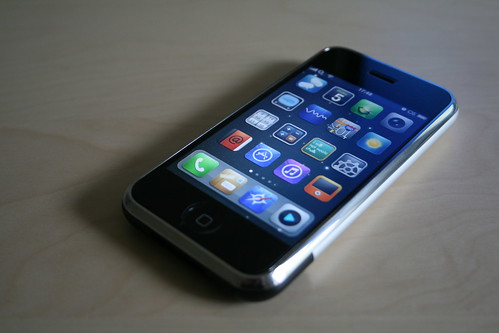
I'm very hesitant to use cell phones in the classroom. Especially since I'm planning on teaching elementary school, and I am really hoping that my young students don't already have cell phones. I guess it's my personal stance on the issue, that kids don't need cell phones until they are driving. Maybe it's because cell phones only started becoming popular when I was getting into middle school and even then I didn't get my first cell phone until I started driving. Now, cell phones do a million different things and everyone seems to have one.
Contrary to my previous beliefs I decided to learn more about cell phone use in the classroom. I didn't totally change my mind on the subject, but definitely made me a little more into possibly attempting the use of phones in the classroom. I researched and I found a cool website about how to use cell phones in the classroom. Click here for ideas on how to use cell phones in the classroom. Reading the ideas on the website made me think about possibly using the cell phones in that way in my classroom. I think if I teach an older grade such as 5th or a middle school class then it could come in handy, but I'm not sure how many younger children have cell phones so I wouldn't want to leave anyone out. At the beginning of the year I would at least do a survey with the students to see what kinds of technology they have available to them, so that I can focus on that technology and use it as often as I can.
I looked more into using the cameras on cell phones in the classroom and found this article that had some really good ideas for teachers. Camera Phone Ideas The first idea in the article about taking pictures of the blackboard/whiteboard is brilliant. I would definitely do that, because otherwise you would lose all the work you did. The ideas in the article are more for the teacher, but some seemed good for students too.
One of my TE teachers had us use our camera phones to take pictures of things around Erickson hall and then share them with the rest of the class to present about aspects of science. It was a really fun activity and I think that students can really have fun with it. I would figure out a way to get the pictures up on the projector (maybe uploading to a website like picnik or the providers website). The students could then do other things with the pictures they took.
The issues I see with allowing phones to be used in the classroom is that the students may feel as if it's appropriate to use their phones all the time and then text and do other things that aren't related to school. Cell phones have so many things that can aid in distracting a student, especially during a time that they are doing something that they may not fully enjoy. If I did use cell phones in my classroom I would definitely lay down a lot of rules about the cell phones and monitor use of the phones closely.
So, I'm getting more comfortable with the idea of cell phones being used in the classroom, but I still have a bit of an unsure feeling about it. I do think it's important to incorporate technology into the classroom, especially those technologies that are frequently used by students outside of the classroom, but there's just something about leaving certain things for home, that I can't dismiss from my mind. Also, the new technologies may be awesome, but I'm more into what my CEP 416 lesson said, "Sometimes the best technology is a pencil, paper, and maybe a ruler or compass."
Tuesday, February 15, 2011
Copyright & Copy Wrong
I didn't realize that only certain things are copyrighted. It was helpful to have the list that was provided on the Teaching Copyright website. These are the things that a copyrighted: Literary works, Music and lyrics, Dramatic works and music, Pantomimes and choreographic works, Photographs, graphics, paintings and sculptural works, Motion pictures and other audiovisual works, Video games and computer software, Audio recordings, and Architectural works.
I learned that with copyright laws it is illegal to reproduce or copy and distribute the work, create something new based on an original work, or perform or display the work for others. There are exceptions to this though, but that is only if you receive permission from the author or creator. Unless it is considered Fair Use, which allows anyone to use the copyrighted work without permission from the author or creator. There are 4 factors that can contribute to a work being considered Fair Use:
1. The purpose and character of the second use: Is it just a copy, or are you doing something different from the original work? Is your use commercial?
2. The nature of the original: Was the original work creative or primarily factual?
3. Amount used: How much of the original work was used, and was that amount necessary?
4. Effect: Did the use harm the market for the original work? For example, would people buy this work instead of the original?
I think all of this about copyright is good to know and pass on to my students. Copyright issues are very important especially with downloading music off the internet and making bootleg copies of movies is becoming the norm in today's society. Students need to learn that those things aren't right.
This is a picture that I found on Flickr. I think it would be a good picture to use when teaching weather, because it shows a rain storm and the clouds that are present. It's also a really neat looking photo.
I learned that with copyright laws it is illegal to reproduce or copy and distribute the work, create something new based on an original work, or perform or display the work for others. There are exceptions to this though, but that is only if you receive permission from the author or creator. Unless it is considered Fair Use, which allows anyone to use the copyrighted work without permission from the author or creator. There are 4 factors that can contribute to a work being considered Fair Use:
1. The purpose and character of the second use: Is it just a copy, or are you doing something different from the original work? Is your use commercial?
2. The nature of the original: Was the original work creative or primarily factual?
3. Amount used: How much of the original work was used, and was that amount necessary?
4. Effect: Did the use harm the market for the original work? For example, would people buy this work instead of the original?
I think all of this about copyright is good to know and pass on to my students. Copyright issues are very important especially with downloading music off the internet and making bootleg copies of movies is becoming the norm in today's society. Students need to learn that those things aren't right.
 |
| Stormy Days by: EJP Photo, found on Flickr |
Saturday, January 29, 2011
Handwriting Isn't Important??
We watched this video in class recently. I was really intrigued by it at first, but one point hit me particularly hard. I can't say whether or not the makers of the movie intended it to seem this way or not, but this is definitely the way I took it. At 2:40-2:45 there is a girl who holds up a notebook with handwriting in it as well as the white board that says "How will this help me?" As if handwriting isn't necessary for learning and other daily things. I really do not agree with that and it really infuriated me. A lot of things are dependent upon handwriting. Sure typing is becoming more popular and the more children use computers the worse their handwriting gets and the less they know how to spell. With todays technology no one needs to know how to spell because word programs and internet programs will show it's not spelled right and allow you to pick a word that is what you meant to spell. Is it right then to assume that handwriting isn't necessary for learning?
I also noticed that at 2:03 the f is backwards. I would hope that that boy isn't my son, because my son would know how to write properly. If we're meant to think that the writing on the white board is the boy's then clearly he's been playing too many video games or watching too much t.v., because he can't even write "f" properly. What does that show about technology?
I'm not saying that technology doesn't have it's advantages, but I think that saying that handwriting isn't important or face-to-face teaching is drifting away is just wrong. Learning is a hands-on, face-to-face, tactile process. Even though the movie gave all these statistics about how much children watch t.v. and play video games, it doesn't mean that they are learning from those shows or games. At least they aren't learning good things that are school related. Some parents can get their children to watch educational television and play computer games that teach math or reading, but really the majority of the time spent watching t.v. is for shows like SpongeBob or PowerRangers or something like that. The games played aren't educational, they're more than likely Role Play games incorporating violence or other non-educational things.
I think that technology can open up new ways of teaching, but we can't let it take away some aspects of learning that are necessary for a child to have a well-rounded, successful future.
I also noticed that at 2:03 the f is backwards. I would hope that that boy isn't my son, because my son would know how to write properly. If we're meant to think that the writing on the white board is the boy's then clearly he's been playing too many video games or watching too much t.v., because he can't even write "f" properly. What does that show about technology?
I'm not saying that technology doesn't have it's advantages, but I think that saying that handwriting isn't important or face-to-face teaching is drifting away is just wrong. Learning is a hands-on, face-to-face, tactile process. Even though the movie gave all these statistics about how much children watch t.v. and play video games, it doesn't mean that they are learning from those shows or games. At least they aren't learning good things that are school related. Some parents can get their children to watch educational television and play computer games that teach math or reading, but really the majority of the time spent watching t.v. is for shows like SpongeBob or PowerRangers or something like that. The games played aren't educational, they're more than likely Role Play games incorporating violence or other non-educational things.
I think that technology can open up new ways of teaching, but we can't let it take away some aspects of learning that are necessary for a child to have a well-rounded, successful future.
Tuesday, January 25, 2011
My Philosophy On College
I started out college with excitement. A thrill for the unknown that made me yearn more and more for new adventures. That first year there was endless fun with friends, classes that didn't demand too much of me, and hall/floor events that got me out there to meet new people. My time was spent enjoying my room and roommate, sleeping as much as I needed to, and not really having a care in the world besides getting homework done on time. Sure I was on the rowing team that year, but it was more fun than anything and it kept me happy and fit. As the years went by, those things and that joy began to disappear. Now that I'm a senior I look at college differently than I did then, now I look at it as almost being over. I'm counting down the days until I walk across that stage and leave behind that college life, never having to spend another moment trapped in a dorm room with a roommate that doesn't understand me. I'm a different person than I was four years ago. I feel like a teacher now. I can see that classroom getting closer and closer. I can't wait. My college days are now filled with worries about my future, where I'll live, if I'll get a car, where I will be able to get a job, and whether or not marriage and children is anywhere close in my future. Finishing up my final semester as an undergraduate student I'm not participating in floor events anymore, I barely see my friends because I'm so busy, sleep is something I daydream of but rarely get enough of, and I work just about every free second I have. I enjoy my classes more now though, since they are more of what I'm wanting to do with my life, but they consume the majority of my day. Of course I can't expect to have the leisure of a freshman anymore. I'm not a freshman. I'm a senior, and a few short months from now I will be a college graduate. Nostalgically, I find myself wishing that time would stand still, just for a little while longer.
Monday, January 24, 2011
Hello World!!
Hello there. My name is Christie Jennings and I am a Michigan State University Teacher Candidate and I will be graduating this coming May. I will be student teaching in the Fall so I’m taking in all that I can right now, so that I actually feel ready to be out in the world teaching. I’m super excited to get into the classroom more. I love children and learning, so teaching of course is my passion and something I love to do. I have so many great ideas for lessons, incorporating technology as well as music, another one of my passions.
My technology background is pretty good. I’ve been working with computers since I was very young. My parents owned a print shop, so they always had the up and coming technologies that involved printing text, photos, etc. I learned a lot from my dad and mom about technology. I have taught myself everything else that I know. I really enjoy making PowerPoints or movies and just experimenting with those types of programs. Excel, word, and the other Microsoft programs are a piece of cake for me. I also know many online programs such as managing ANGEL, Scheduler, Database, and other things that I’ve learned from my work at West Circle Culinary Services HR Office.
I’m taking a CEP 416 class right now that has to do with using technology in the classroom and I hope that I will learn a lot of new ways to bring technology to my students. Learning about different ways to tweak lessons to make them technological will be a great boost to my teaching methods/strategies. I have already learned a lot about twitter, website making, blogging, and other cool things I had never even thought of using in a classroom. Here’s to a great last semester of classes.
I’m taking a CEP 416 class right now that has to do with using technology in the classroom and I hope that I will learn a lot of new ways to bring technology to my students. Learning about different ways to tweak lessons to make them technological will be a great boost to my teaching methods/strategies. I have already learned a lot about twitter, website making, blogging, and other cool things I had never even thought of using in a classroom. Here’s to a great last semester of classes.
Subscribe to:
Posts (Atom)